

How I Create High-Quality GPX Files for Running Courses
Plus the Launch of Run Ready Certified GPX Files

The key ingredient for AI-based products is high-quality input data. For Run Ready Course Guides, the most important input is the course data, which comes in the form of a GPX file. When I started this project, I didn't realize how complex this aspect would become. As I often get asked where the data comes from, what follows is an explanation of my current process for creating high-quality course data.1
What is a GPX file?
A GPX file is the standard format for storing route information for a course or trail. It works by storing a series of points along the path, with each point defined by its latitude and longitude (its exact location on Earth) and elevation (how high above sea level the point is). When these points are connected, they create the complete path of the course. This format is universal - nearly any running app or GPS device can read and understand GPX files.
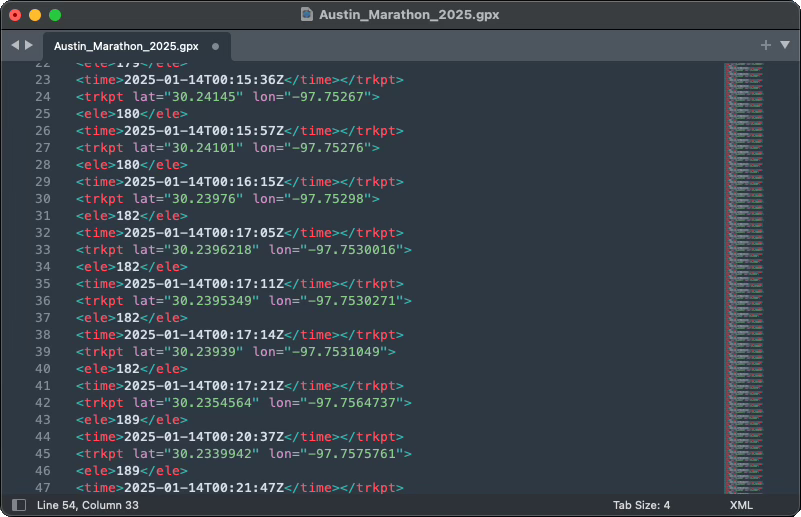
Not all GPX files are created equally
GPX files typically come from one of two sources: they're either recorded in real-time using a GPS device or drawn manually using a mapping tool. Each method affects data accuracy differently.
Files recorded with GPS devices depend heavily on the device quality and environment. Higher-end GPS devices generally provide more accurate locations and record points more frequently. However, even the best devices struggle in challenging environments. Tall buildings in urban areas can block or reflect GPS signals, creating inaccurate points or gaps in the data (known as the "urban canyon effect"). Dense tree cover can cause similar issues, and weather conditions can also impact GPS accuracy. The speed of movement also matters - quick turns or sudden changes in direction might not be captured precisely if the device isn't recording points frequently enough.
Files created using mapping tools like Strava Route Builder or Garmin Connect have different limitations. These tools often "snap" your drawn line to known roads and trails. This can be helpful but may not always reflect the exact course path, especially for off-road sections or newer trails that aren't in the mapping system. The underlying map data might also be outdated. Additionally, some mapping services store coordinates with lower precision, which can result in slightly less accurate course data, particularly noticeable on tight turns or complex trail sections.
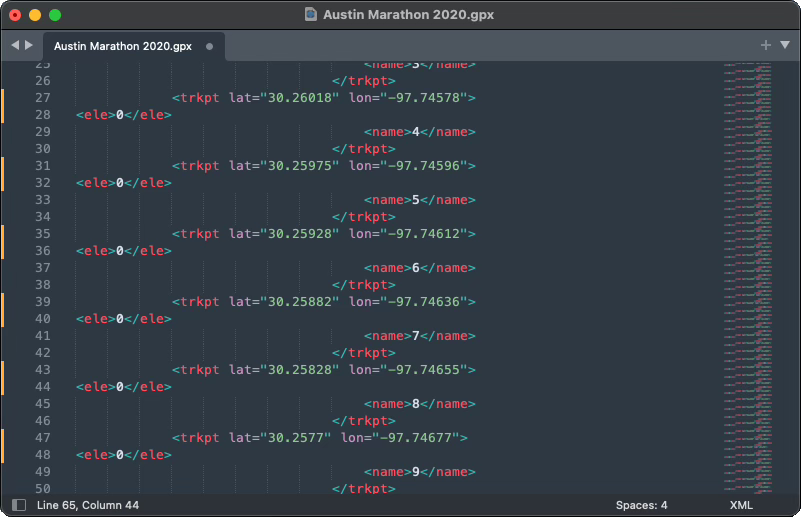
The elevation challenge
Elevation data in GPX files can come from different sources and undergo various adjustments, which significantly impacts its accuracy and usefulness for course navigation.
Many GPS devices include barometric sensors for measuring elevation. While these can provide accurate elevation readings at each point, this precise elevation could be paired with an inaccurate latitude/longitude reading - imagine your device thinking you're 50 feet off the actual trail, but correctly measuring how high up you are at that wrong location. When these GPX files are uploaded to platforms like Garmin or Strava, the services often replace both the location and elevation data with their own calculations.
Most online mapping platforms use Digital Elevation Models (DEMs) to determine elevation data. Basic DEMs trace the natural contours of the Earth's surface, but more sophisticated versions are optimized for specific activities. This becomes particularly important for features like river crossings - a basic DEM might only "see" the river's surface, making it impossible to tell if a route goes through the water or crosses a bridge above it. More advanced DEMs include infrastructure data and can correctly identify that a running course crosses the river at bridge level rather than water level.
Run Ready's approach
For any given course, you're likely to find several GPX files online that claim to represent it. For most people and most use cases, a simple eye test works well enough - if the route looks good when drawn on a map, it's probably sufficient.
Run Ready has more stringent data needs/principles, which I characterize as:
We need the most accurate representation possible of any single course to create a useful guide
We need consistency across all GPX files to meaningfully compare different courses
We need to demonstrate fair, legal, and ethical usage of data while giving more back to the community than we take
Based on these needs, I now personally create every GPX file used for Run Ready course guides.
The creation process
Research phase
When starting work on a new course, I review several key sources:
The official course map (usually the "pretty" one in course materials)
The official GPX file or online map (if provided)
The USATF measurement certificate for certified courses
Other existing GPX files, typically from Garmin Connect
Race photos and live stream archives
I don't download or digitally retain this data, nor use it to directly train AI. As a human about to perform a manual, laborious, and subjective process, I'm educating myself to do the best job possible.
Since I rarely have run these courses personally, the maps serve to broadly orient me to the course and location. I look for consistency across these sources. When I find discrepancies, like runners doing an extra out-and-back not shown on official maps, it signals the need for more research.
Plotting the tangents
Using Plotaroute, I begin by placing the start point. For USATF-certified courses, I rely primarily on the measurement certificate's description, cross-referenced with available GPX files and start-line photos.
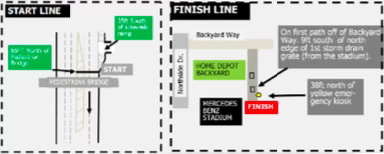
I then work through the course map to the finish, plotting only the minimum points needed to define the race's tangents. Taking the tangent means following the shortest possible path while staying within course boundaries. The certifying measurer's notes provide insight into the tangents used during measurement.
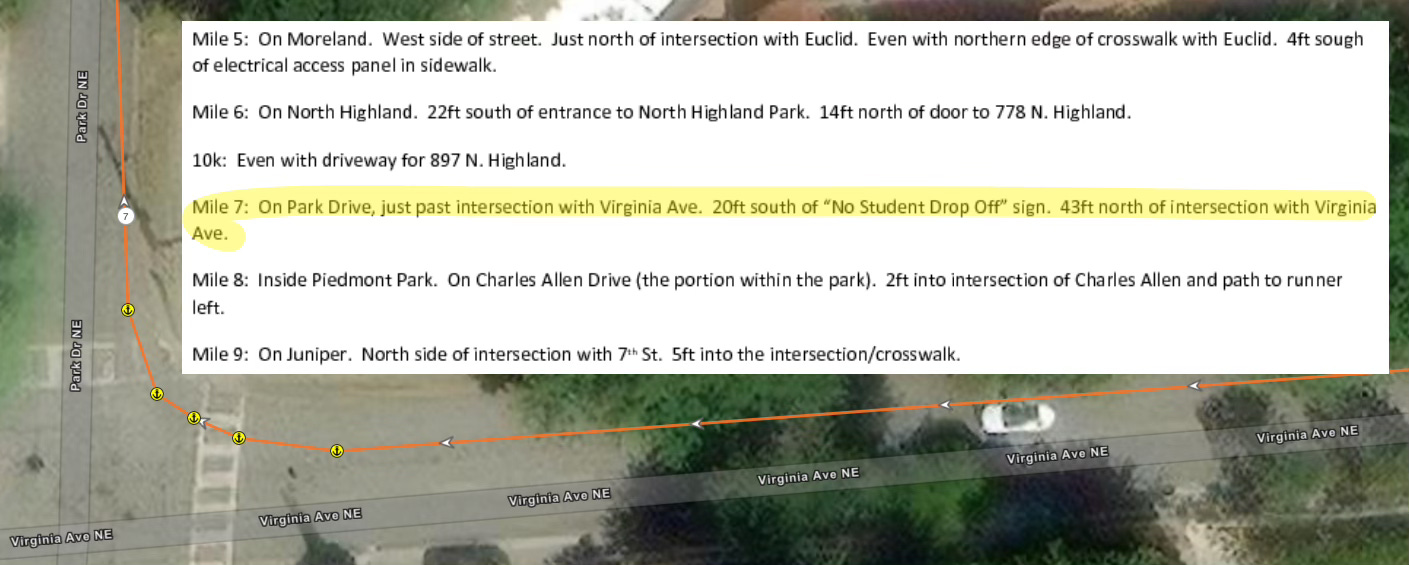
While this isn't an exact science, I aim to get within ~1.5% of the advertised length. For a marathon, this means accepting a GPX file that measures up to 26.46 miles if I can't find obvious errors in my work.
Upsampling the course
Plotting minimal points effectively captures the optimal racing line through turns but creates a trade-off with elevation accuracy. When you only record points at major turns or tangent intersections, you might miss significant elevation changes between those points.
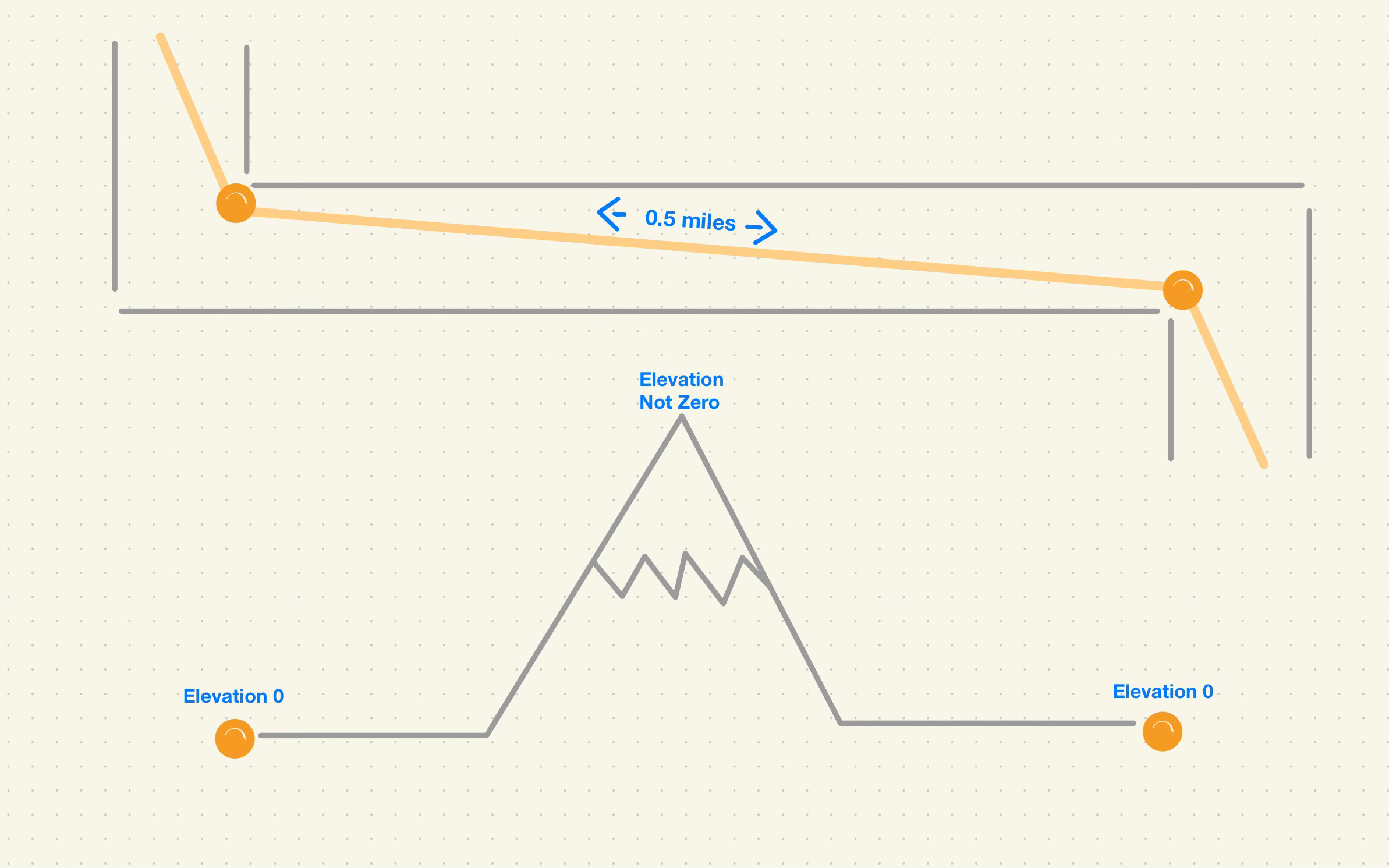
To address this, I use custom code to increase the sampling frequency of track points. The code measures the distance between existing points and generates additional points along that vector when the distance exceeds 0.005 miles. This ensures elevation sampling at least every ~26 feet, balancing elevation granularity with file size.
Elevation correction
As mentioned earlier, determining the "correct" elevation for given coordinates can be subjective, especially with features like bridges and overpasses. While Plotaroute uses a basic contour DEM, urban courses require an enhanced DEM that incorporates infrastructure data.
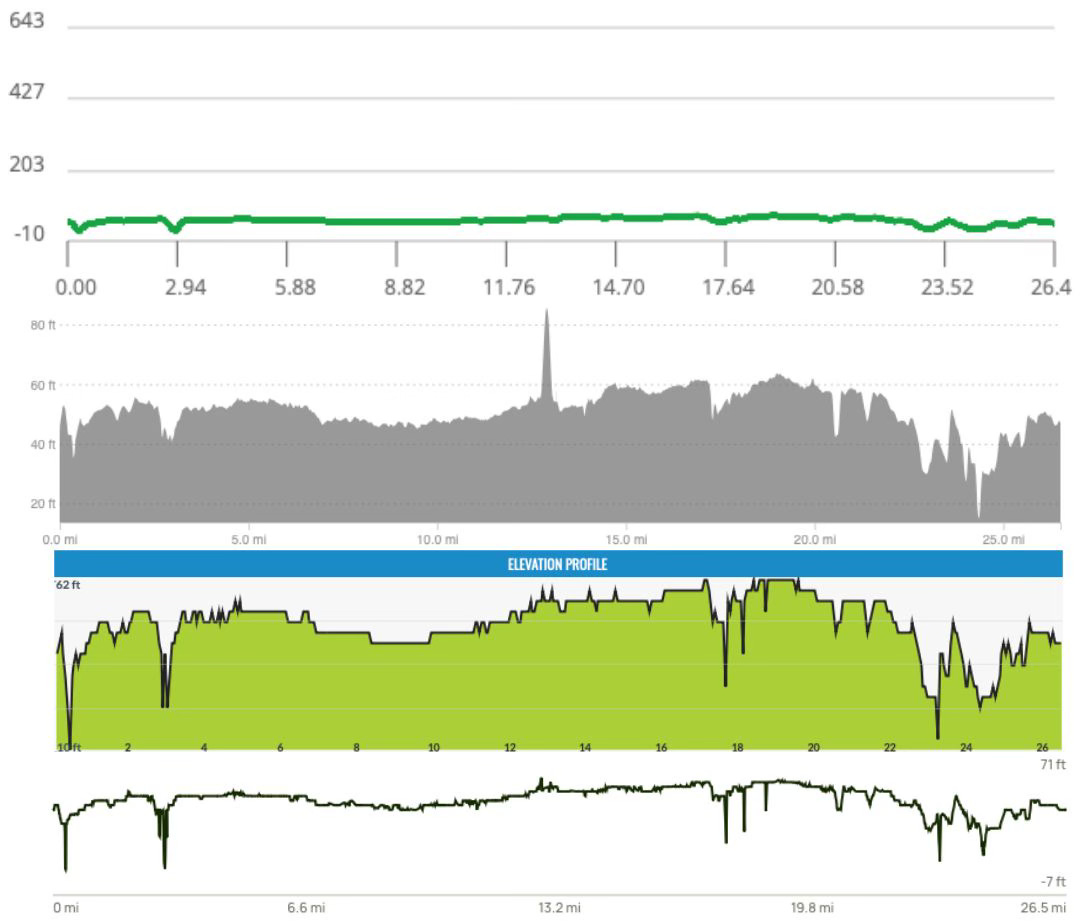
After evaluating several DEMs, I've found Strava's to be slightly better on average than other options.2 Therefore, I upload my upsampled GPX file to Strava's Course Builder and download it again to get generally accurate elevation data.
Final processing
Strava's platform applies smoothing algorithms to handle varying GPS data quality. While this works well generally, it can erase some of the detail I've added and affect course measurements. To correct for this, I use additional code that blends my upsampled GPX file with version from Strava by transferring elevations via their nearest neighbors coordinates.
This final output becomes the "Run Ready Certified GPX" for the course.
Community contribution
While a high-quality GPX file is essential for Run Ready, I don't feel protective ownership over these files. Moving forward, for each GPX file I curate and certify, I will:
Make it available for direct download from its associated course guide
Upload it to both Garmin and Strava as a public course, labeled as [Run Ready Certified]
This approach aligns with Strava's Terms of Service expectation to "create applications that are useful, inspiring and help build a community for Strava athletes." While this isn't an ideal solution - a fee-based elevation data service with sufficient accuracy would be better - it represents a reasonable approach to creating high-quality course data while contributing to the running community.
I expect this process to continue to evolve.
This isn’t true for every course. I have examples of courses where open source, contour DEMs are more accurate than Strava and Garmin.